A Minecraft Full Minecart System is a complete transportation network that automatically loads, transports and unloads items using chest minecarts, hoppers and redstone components. By combining Minecart Loaders, Minecart Unloaders and rail networks, resources can be moved efficiently between farms, storage systems and processing areas without manual intervention.
Whether you’re building an automated storage system, connecting multiple farms, or creating a large industrial district, a full minecart system helps streamline item transport and improve efficiency. Easy to expand and customise, it provides a reliable way to move resources across long distances while keeping your Minecraft world organised and fully automated.
What is a Minecart Full System?
These are the instructions to a Minecraft full minecart system. One of the most useful builds for transporting items and people around the map is to use a minecart system. These are set up like a railway with rails and powered rails going to and from a destination.
Minecarts are then placed on these rails to transport items, players, villagers or mobs around to where you need them.
There are a number of different types of minecart that can be used on the rails for this purpose. A minecart system can be as simple or difficult as you wish ranging from just a single line from a point to its destination to a complex railway network.
In this build we will be showing you how to build a minecart system that links to a sorter and then sends the goods onto another station for collection.
Materials needed for Minecraft Minecart Full System
These are the ingredients and recipes that you will need to make this Minecraft Minecart Full System. Please ensure that you have all of the materials before you start your build.
| Item | Picture | Amount |
|---|---|---|
| Rails | 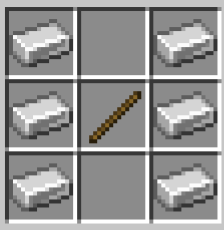 | 16 |
| Powered rails | 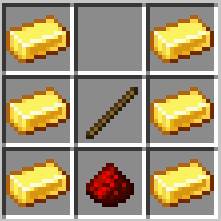 | 4 |
| Redstone torch | 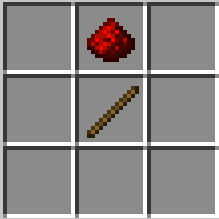 | 2 |
| Stone block |  | 2 |
| Minecart with hopper | 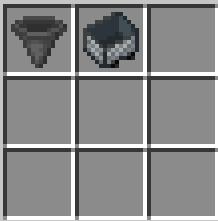 | 1 |
Minecart with hopper – you will need to craft a minecart and a hopper separately before you can combine them.
How to build a Minecraft Minecart Full System
Here we will explain in detail how to build this build a Minecraft full minecart system Please follow the instructions carefully.
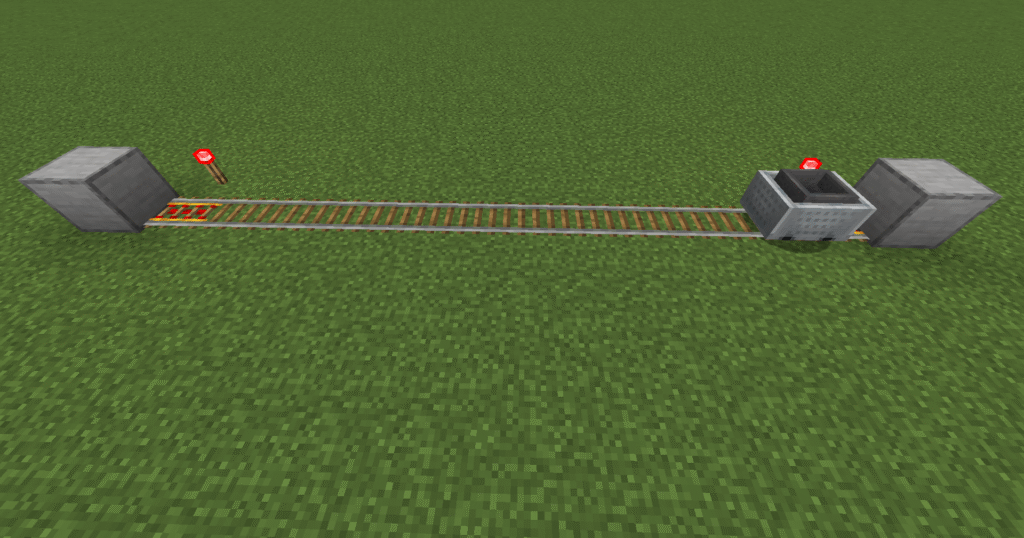
- First of all lets place 2 stone blocks a set distance apart.
- Next place 2 powered rails next to the blocks so that they are pointed towards each other.
- Place down rails between to link the powered rails.
- Place down redstone torches next to the powered rails.
- Place a minecart, this minecart will now move freely up and down the rails between the 2 stone blocks (this is a minecart and hopper however you could use a minecart and chest depending on what you wish to transport).
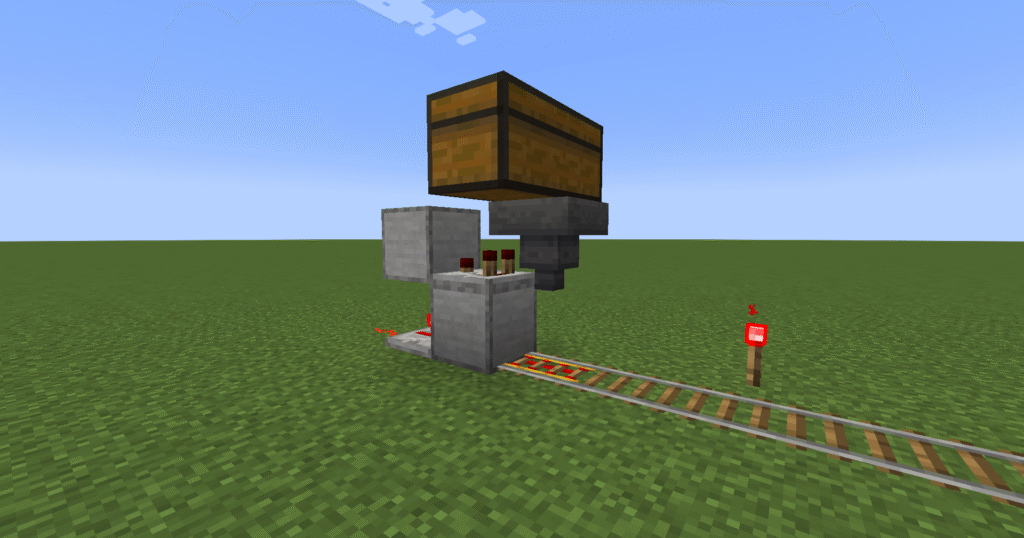
- This is a minecart loader section of the minecart system.
- This will enable your minecart to be loaded and move on to the minecart station. Go to minecart loader to see how to build this.
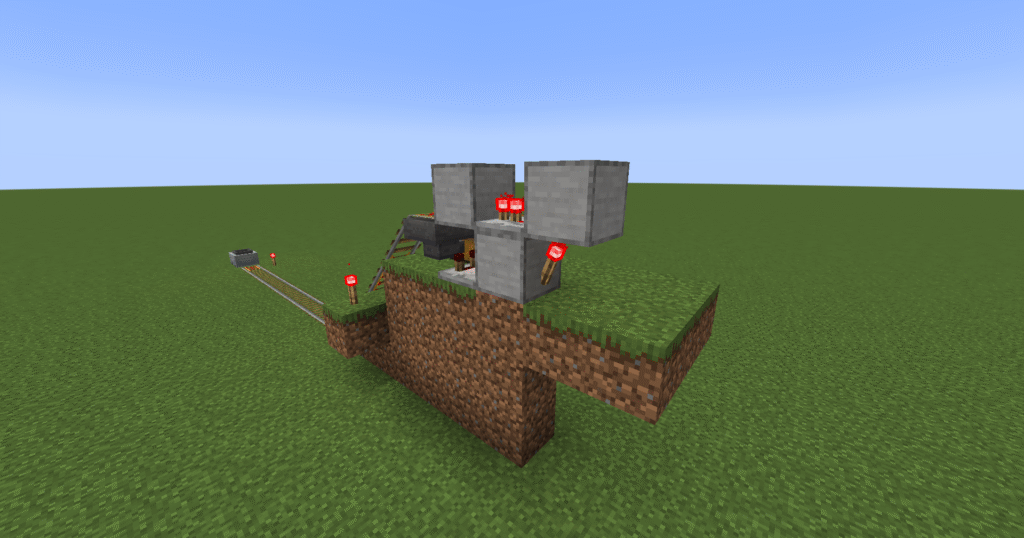
- This section is a minecart unloader. This is only placed so high so that you can see the build.
- This will enable you to unload your minecart so that you can collect the items. This can either be left in the chest or passed through to a sorter to sort the items further. Go to minecart unloader to learn how to build this.
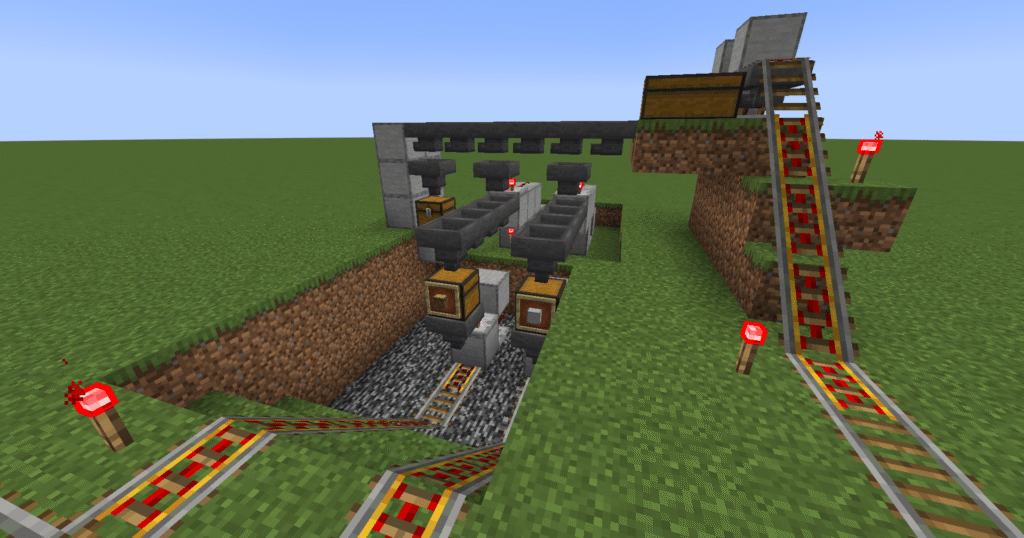
- This section utilizes a sorter so the the items that are unloaded from minecart can then be sorted placed into other minecarts and transported to other destinations. Go to sorter to learn this build.
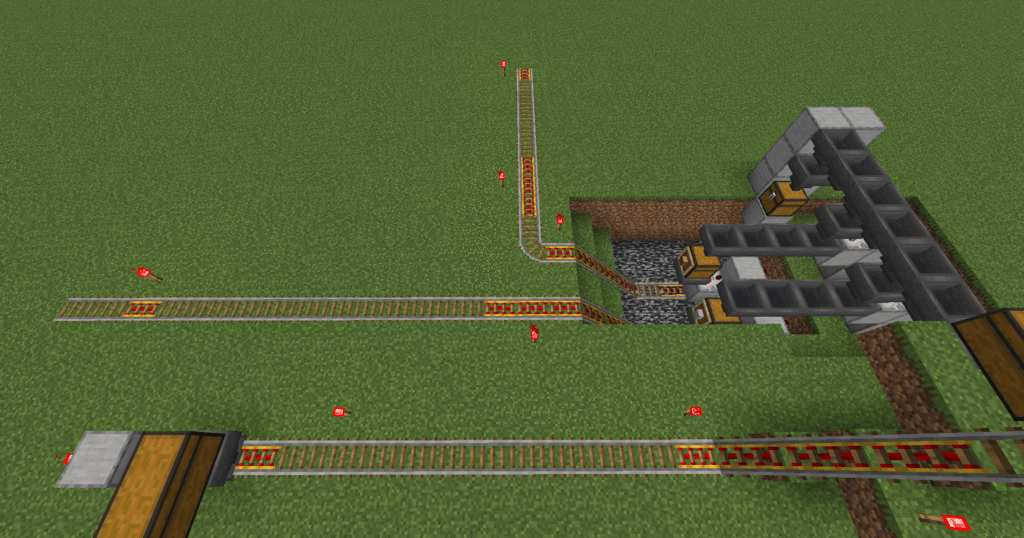
- This is the final build. We can see the loader moving into the station and unload straight into a sorter.
- The sorter will sort the items and send the items on depending on where you wish them to go.
Hints and tips for building a Minecraft Minecart Full System
Common problems and solutions
- Minecart not reaching destination – If your minecart does not reach its destination it normally means that you do not have enough powered rails in your build. You will need a powered rail every 32 blocks on flat ground or 3 – 5 blocks on an incline You will also need Redstone torches to power the rails.
Additions to he build
- Loader – a loader can be added so that the minecart can be loaded automatically.
- Unloader – a unloader can be added so that the minecart can be unloaded.
- Elevators – an up or down elevator can be added to move items up or down depending on your build.
- Sorter – a sorter can be added so the the items delivered can be sorted.
Minecraft Minecart Full System FAQ
What is a Minecraft Full Minecart System?
A Minecraft Full Minecart System is an automated transportation network that uses chest minecarts, loaders, unloaders, rails and redstone components to move items between different locations.
How does a Full Minecart System work?
The system automatically loads items into a chest minecart, transports them along a rail network and unloads them into a storage system at the destination. Redstone controls the loading and unloading process.
What is the purpose of a Minecart Loader?
A Minecart Loader automatically fills a chest minecart with items and releases it once loading is complete, allowing resources to be transported efficiently.
What is the purpose of a Minecart Unloader?
A Minecart Unloader automatically removes items from a chest minecart and transfers them into hoppers, chests or storage systems when it reaches its destination.
Can I build a Full Minecart System in Survival Mode?
Yes. All components of a Full Minecart System can be built in Survival Mode using common materials such as rails, hoppers, chests, powered rails and redstone.
Does this system work in Java and Bedrock Edition?
Most Minecart System designs work in both Minecraft Java Edition and Bedrock Edition. However, some redstone timings may require minor adjustments depending on the version.
How far can a Minecart System transport items?
Minecart Systems can transport items across very long distances, making them ideal for connecting farms, storage areas, villages and industrial districts.
Can I use a Full Minecart System with automated farms?
Yes. Minecart Systems are commonly used with crop farms, mob farms, tree farms and other automated builds to transport resources directly to storage systems.
Why has my minecart stopped moving?
Check that powered rails are receiving power and that there are no obstructions on the track. Missing redstone signals or damaged rails can prevent minecarts from travelling correctly.
Why aren’t items loading into the minecart?
Ensure the hoppers are facing into the chest minecart and that items are available to transfer. Also check that the minecart is positioned correctly in the loading station.
Why aren’t items unloading from the minecart?
Verify that the hopper is directly beneath the chest minecart and that the connected storage system has enough available space to receive items.
What are the benefits of a Full Minecart System?
Benefits include:
- Automated item transportation
- Reduced manual resource handling
- Efficient storage and logistics
- Easy integration with farms
- Long-distance resource transport
- Expandable automation networks
Is a Full Minecart System worth building?
Absolutely. A Full Minecart System is one of the most effective ways to automate item transportation in Minecraft, helping to connect farms, storage systems and production areas while reducing manual work.